

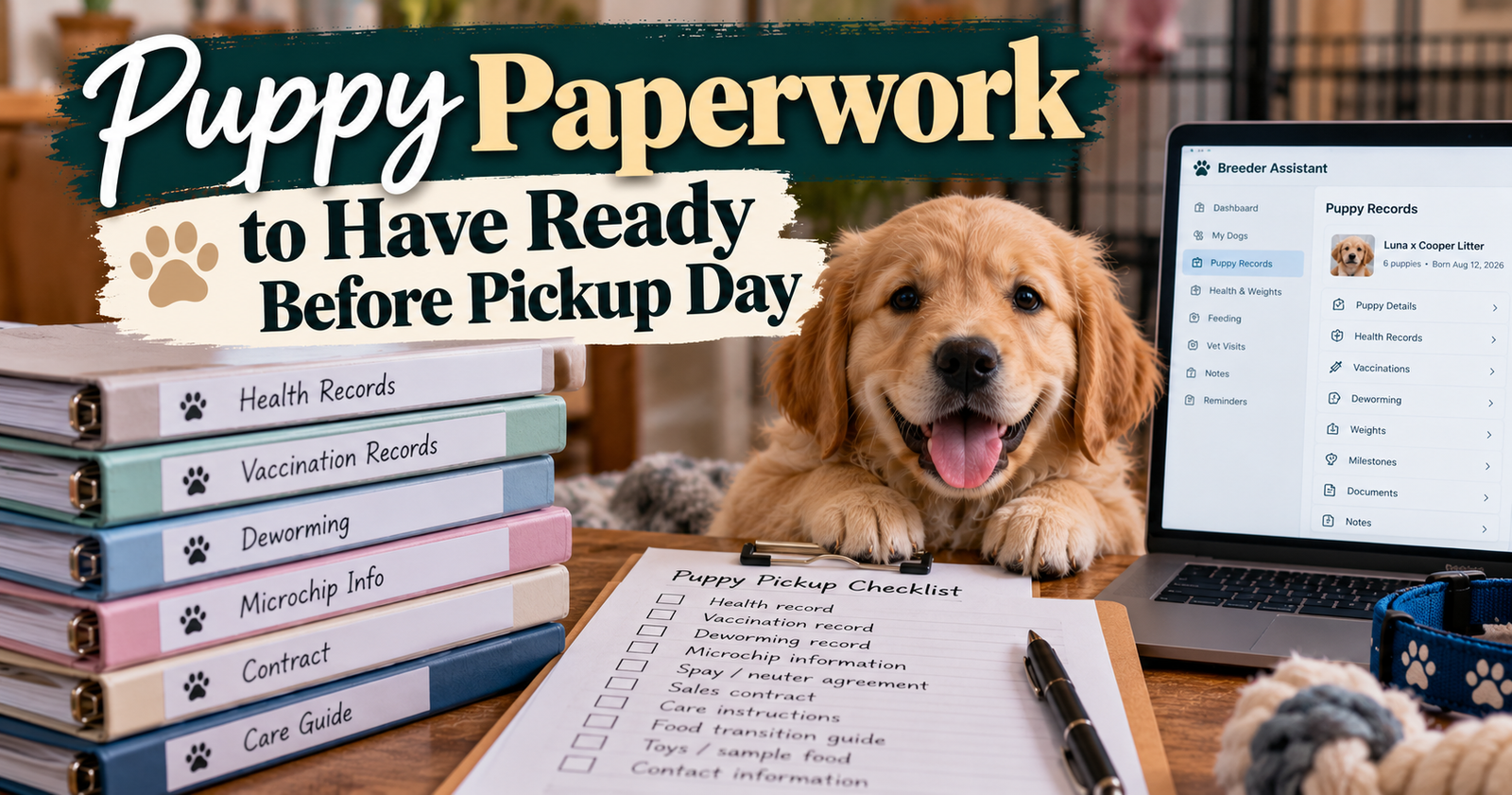
A family coming to get their puppy has plenty on their mind.
They’re meeting their new dog, asking questions, checking the carrier, and thinking about the drive home. That’s a lot to take in while somebody explains feeding instructions and points out dates on a health record.
I want the important information written down clearly so they can look at it again later.
With many years of breeding experience and 14 dogs total in my small program, I know there are plenty of details to manage before a puppy leaves.
Puppy paperwork should help the new owner care for the right puppy, understand what has already been done, and know what needs their attention next.
It should also leave the breeder with a clear record of what went home.
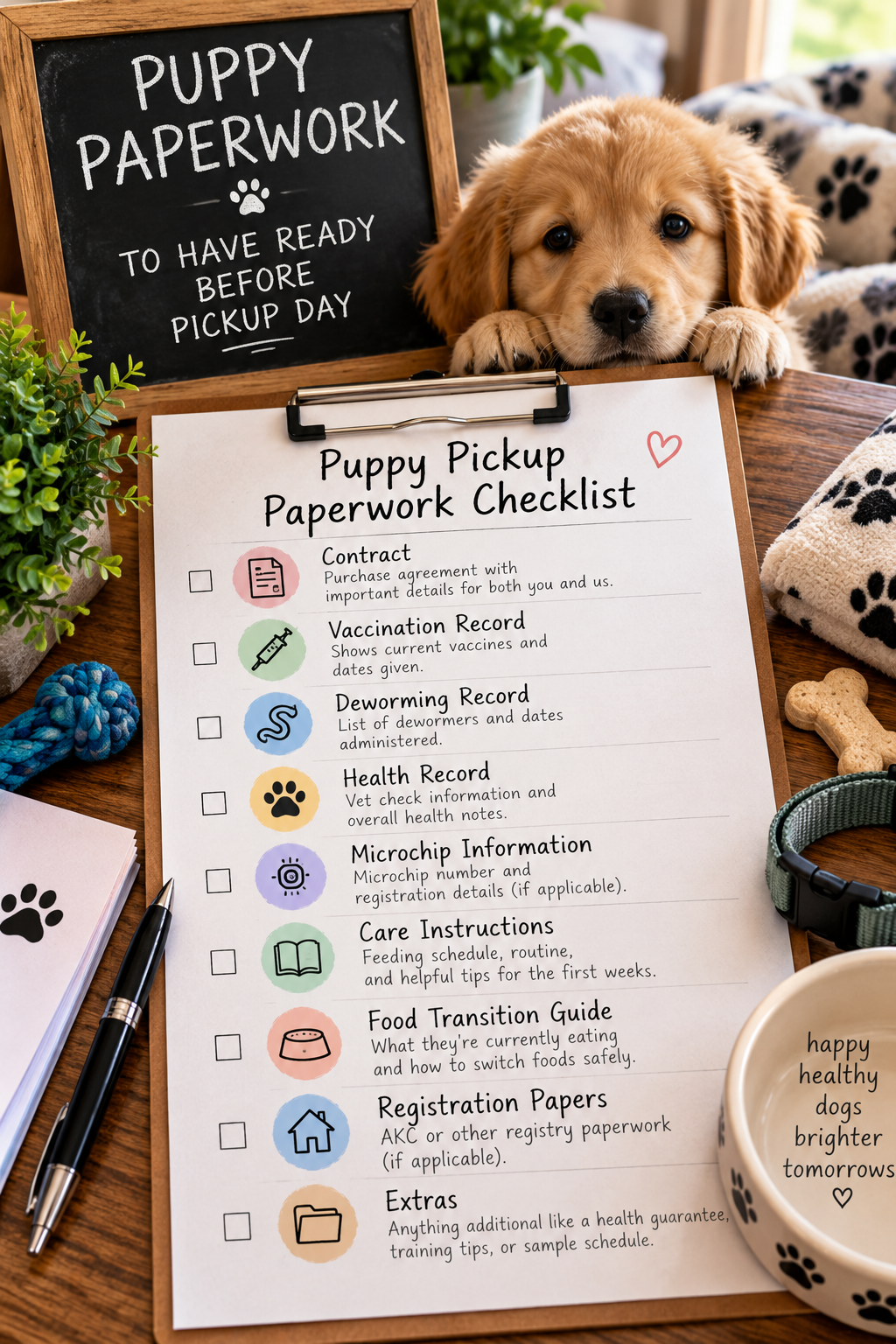
Start With the Puppy’s Identity
Before worrying about how nice a handout looks, make sure it belongs to the right puppy.
That sounds obvious. But several puppies may share a birthday, breed, parents, and appointment dates.
The individual details are what keep their paperwork straight.
Connect the puppy’s number, description, and new name
A family may already have picked a name while your records still use a puppy number or collar color.
Keep that connection clear.
For example, a record might identify the puppy as “Puppy 4, female, white chest marking,” with the new name added alongside it.
If the puppy has a microchip or registration number, check those against the original records too. A number copied incorrectly can follow the paperwork long after pickup.
How our app helps with that
Breeder Assistant gives each puppy an individual profile with identifying details, buyer information, and planned and actual go-home dates.
The app also has take-home paperwork connected to the puppy. You can review the prefilled details and complete that puppy’s information before saving the document.
That gives you a practical way to prepare take-home paperwork around each puppy’s own details instead of repeatedly editing an old file and hoping you replaced every name.
Keep Health Records Clear and Specific
“Had puppy shots” leaves too many questions.
The new owner’s veterinarian needs to know what care is documented and when it happened.
Give the family readable copies of the relevant health records, along with a clear explanation of any follow-up instructions you received.
Keep completed care separate from anything planned for later.
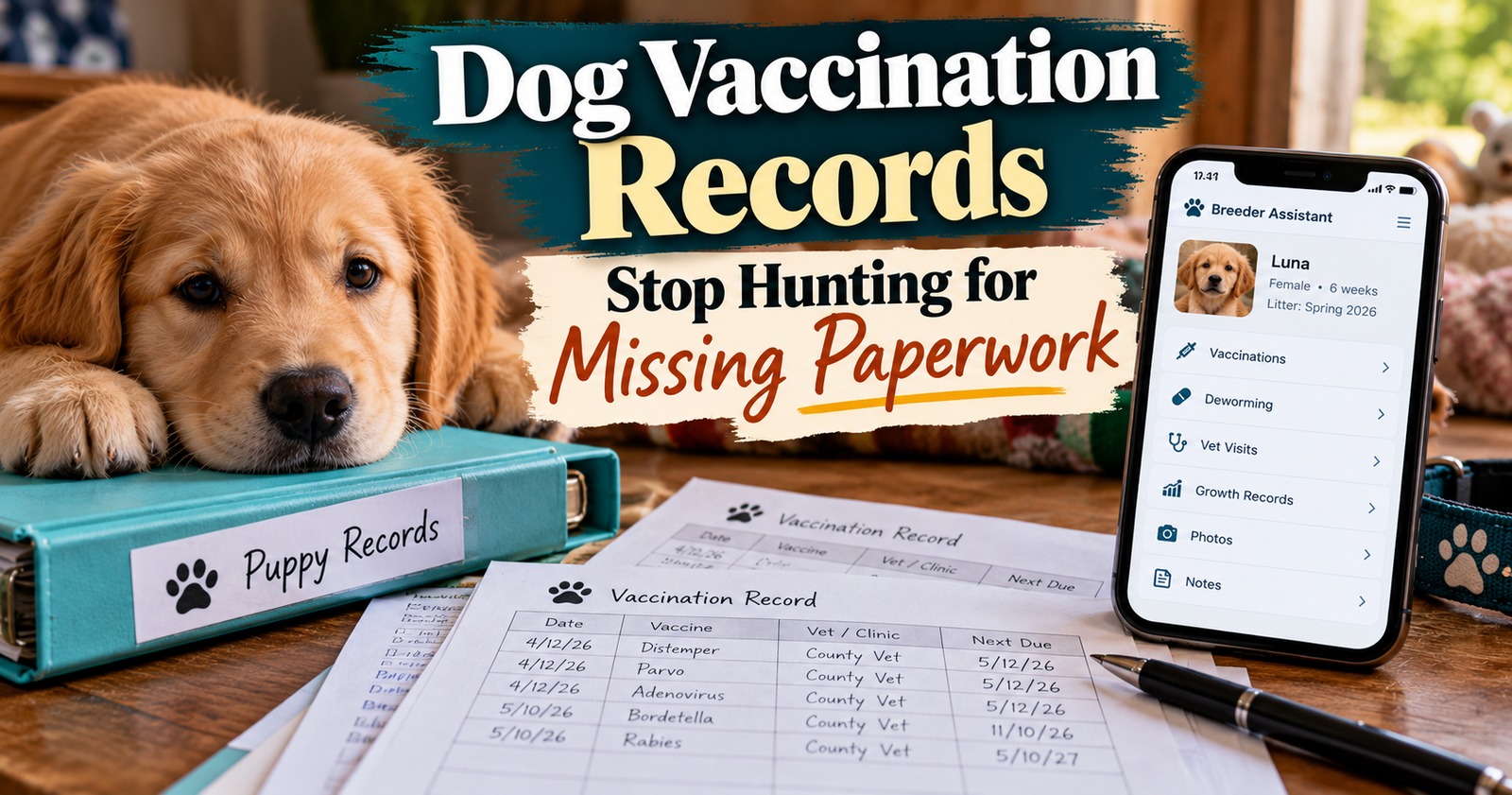
Use actual dates and product names
Where the information is available, preserve the date, product name, provider, and supporting paperwork.
Don’t replace those details with “up to date” and assume everybody will understand what that means.
If something hasn’t been done, leave it clear. If a date is uncertain, don’t turn it into a confirmed treatment entry.
Our guide to finding and organizing original vaccination paperwork explains why the supporting documents matter.
Explain what the new owner should discuss with their vet
The paperwork can show the care already provided and the follow-up recommendations you were given.
The new owner should take those records to their veterinarian so the clinic can review the puppy’s history and plan continuing care.
I wouldn’t ask a family to remember a list of dates from a conversation while they’re holding an excited puppy.
Write the information down and point out where to find it.

Registration Papers Are Their Own Part of the Folder
When people say “puppy papers,” they may mean registration documents.
Those are different from vaccination records, a pedigree, or a breeder’s take-home sheet.
Be specific about which documents apply to that puppy and what the new owner needs to do with them.
For an AKC-registrable puppy, AKC describes the properly completed Dog Registration Application as the document the seller provides so the buyer can apply for the individual dog’s registration. An application and an issued registration certificate are different documents.
Keep the registry’s original process intact
Breeder Assistant lets you record the registry name and puppy registration number in the puppy’s paperwork.
That helps keep the information organized. The app’s handout does not replace the registry’s application or transfer process.
Check the actual registry documents before putting them in the puppy’s folder. AKC also tells litter owners to examine their litter kit for errors before issuing papers to buyers.
Unregistered puppies still need useful paperwork
A puppy without registration papers still benefits from a clear care history, identifying information, feeding instructions, and contact details.
That includes puppies from an accidental litter.
The next owner still needs to know which puppy they have and how that puppy has been cared for.
Write Feeding Instructions Someone Can Follow at Home
“Feed puppy food” isn’t much help when a family is standing in the pet-food aisle looking at several similar bags.
I want the instructions to identify the food clearly and describe the puppy’s current routine.
Name the exact food
Include the brand and specific formula.
If the puppy’s food is prepared a certain way, explain what you’re currently doing. Keep any puppy-specific instructions easy to spot.
The point is to describe the routine the puppy knows, so the new owner has a useful starting point to discuss with their veterinarian.
Describe the routine honestly
Write down what you’re actually feeding and how the meals are offered.
If the puppy has individual feeding instructions, don’t bury those in a general handout that goes home with every littermate.
A shared guide is convenient, but it needs to agree with the individual puppy’s information.

Stop Rebuilding the Same Owner Guide Every Time
Some information will be similar for several families.
Your contact details, general settling-in guidance, and descriptions of your usual routines may not need to be typed from scratch for every puppy.
That’s where a reusable handout helps.
Breeder Assistant includes an owner-guide feature with guided setup, editable text, and options to print or download the saved guide as a PDF.
You can build a reusable puppy owner guide in your breeder workspace and review it when your food, routines, or instructions change.
Keep the general guide separate from individual records
A reusable guide explains your general approach.
The puppy’s individual health and take-home paperwork identifies that puppy and documents the information specific to them.
Both are useful. They serve different purposes.
Don’t make a family search through pages of general advice to find a treatment date or microchip number.
Review Buyer and Sale Information Before Pickup
A misspelled name is easier to fix before several copies are printed.
Check the buyer’s name, phone number, email, and other details needed for your records.
Where you use a sale agreement, receipt, or other transaction documents, make sure they agree with the puppy’s identity and the arrangements made with the buyer. This is a practical organization guide, so check the separate requirements that apply to your location and sale.
The app gives those details a place
Breeder Assistant’s take-home paperwork includes buyer and sale-detail fields alongside the puppy’s identifying information.
Relevant buyer, identity, and registration changes made there also update the puppy’s profile.
That helps with a common problem: correcting information in one document while leaving the old version somewhere else.
You can keep buyer details connected to the puppy going home rather than maintaining separate copies in messages, notes, and handouts.
Shared Litter Details Still Need an Individual Check
Littermates share some information. They don’t necessarily share every detail of their care or departure.
One puppy may have a different pickup date. Another may have individual instructions. Each has their own buyer and identifying information.
Breeder Assistant lets you use shared litter paperwork defaults, then review the individual puppy’s document.
Shared defaults save typing. They don’t replace checking the finished sheet.
Review saved documents after something changes
The app keeps saved individual puppy paperwork as its own copy.
That means changing shared litter defaults later does not automatically rewrite paperwork already saved for each puppy.
That’s useful for preserving individual documents, but it also means you should open and check the affected puppy’s paperwork when something changes.
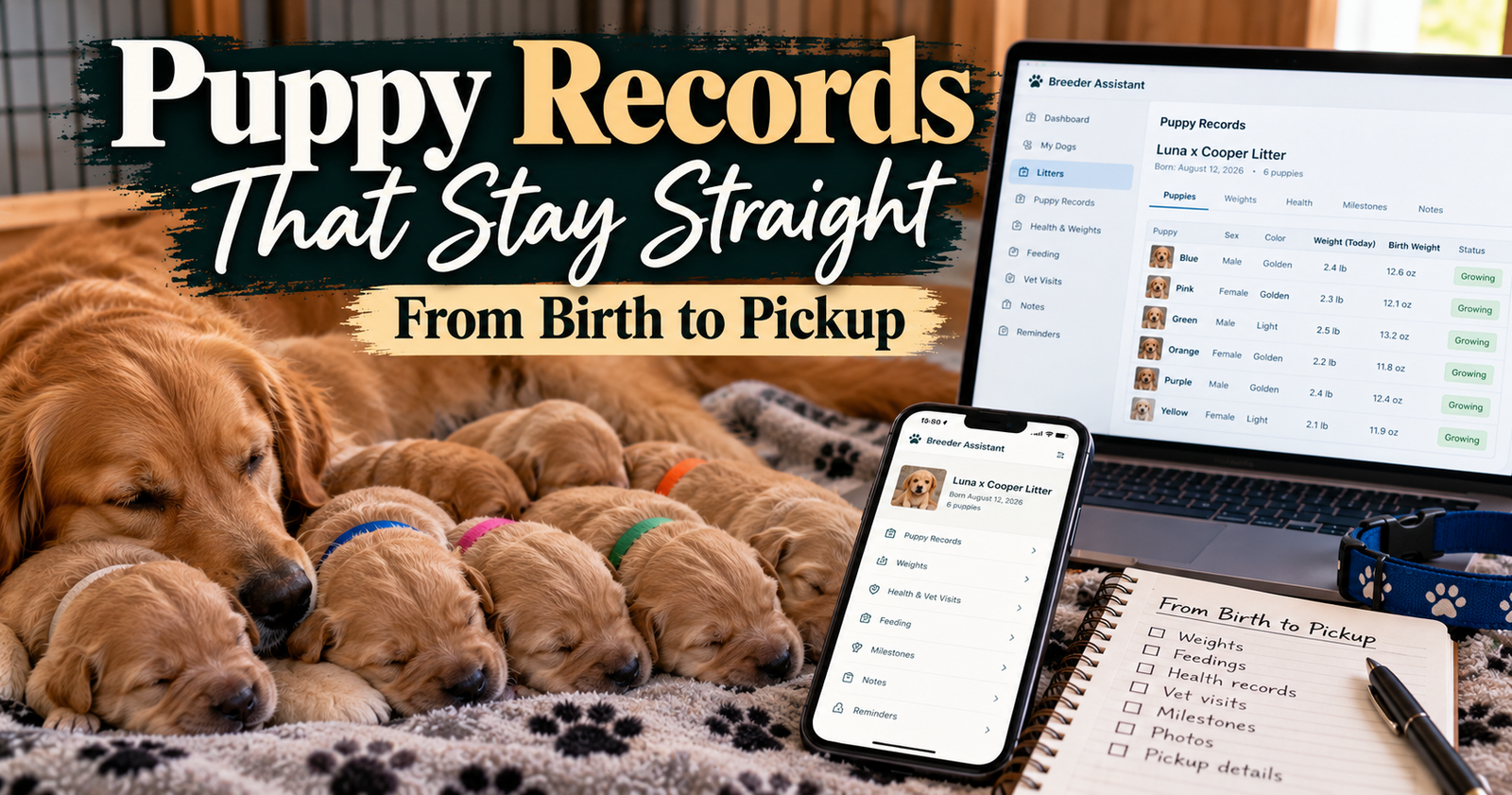
Our article about keeping puppy records clear from birth through pickup covers the wider recordkeeping routine behind that final handout.
Save the Edits Before Printing
This is a small step that can cause an annoying mistake.
You correct a phone number or update an instruction on screen, then print an older saved copy.
In Breeder Assistant, printing and downloading use the saved document. The take-home paperwork includes a “Save & download PDF” option so the saved output can include your latest edits.
The owner guide also uses its last saved version for printing and downloads.
Open the finished PDF once
Before printing several copies, look at the actual file.
Check the puppy’s identity, buyer information, dates, and any instructions you just changed.
Make sure the document is readable and the correct pages are included.
That quick review is more useful than assuming everything looks right because the form looked right.


Give the Family a Short Walk-Through
Written information helps, but I still want the new owner to understand what they’re taking home.
Point out the health records. Show them the feeding instructions. Explain which registration documents apply and where your contact details are.
Give them room to ask questions.
If there’s something especially important for that puppy, bring it to their attention directly.
Keep a copy of what you provided
Keep the final version with your records, including any individual instructions.
If a family contacts you later, it helps to look at the same information they received.
Breeder Assistant brings the puppy profile, take-home paperwork, owner guide, and go-home information into the same workspace. You can organize the handoff before pickup day gets busy and spend that time answering the family’s questions.
Questions About Puppy Paperwork
What paperwork should go home with a puppy?
A practical folder includes identifying information, documented health care, feeding instructions, breeder contact details, and any applicable registration and transaction documents. The exact documents depend on the puppy, what was agreed upon, and applicable requirements.
Does a breeder’s health sheet replace veterinary records?
Keep the original veterinary documents with the summary. A take-home sheet makes information easier to find, while the source records preserve the clinic’s documentation.
Can I use one handout for the whole litter?
You can reuse general guidance. Check each puppy’s individual identifying details, health information, buyer information, and instructions separately.
Can I send everything digitally?
Digital copies are useful when the family can open and save them. Check whether any registry or transaction documents need a particular format or original copy. I would also make the most immediately useful care instructions easy to access during the trip home.
Written by Breeder Assistant, sharing practical guidance from a licensed dog breeder with many years of experience and 14 dogs total in a small breeding program.